




Sentea Help Center
One place for support and documentation.
- Submit support tickets
- Get the latest documentation
- Track requests
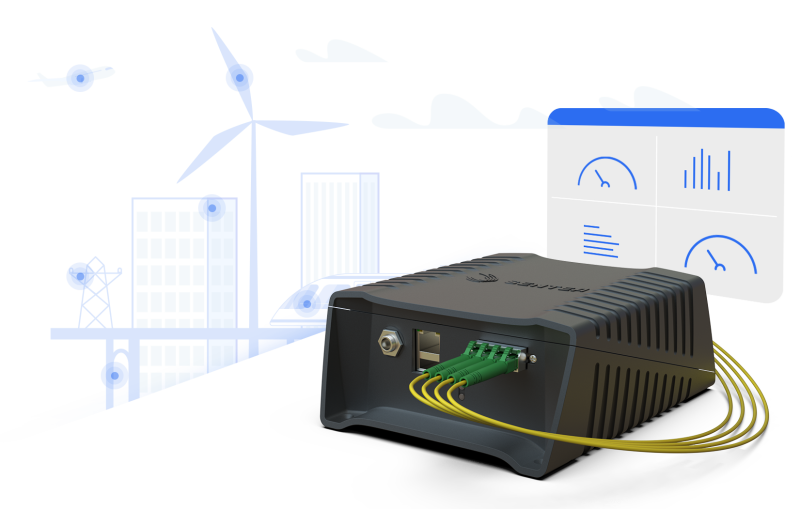
The Sentea Help Center gives customers access to support requests, product documentation, and customer-specific resources.
Create and follow up technical, commercial, or general support requests.
Find available manuals, guides, technical notes, and other customer resources.
Receive email updates and keep an overview of open and closed support tickets.
Follow these steps to create your account and request access to the customer portal.
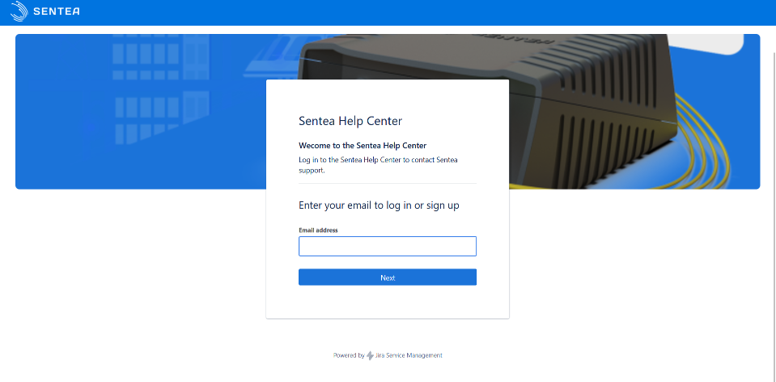
Open the Help Center and enter the email address that should receive ticket updates, support communications, and notifications.
If you already have an Atlassian account, you can use it to log in.
Step 2
After signing in, open the Help Center Overview. This page shows the available portals, documentation areas, and support options.
Step 3
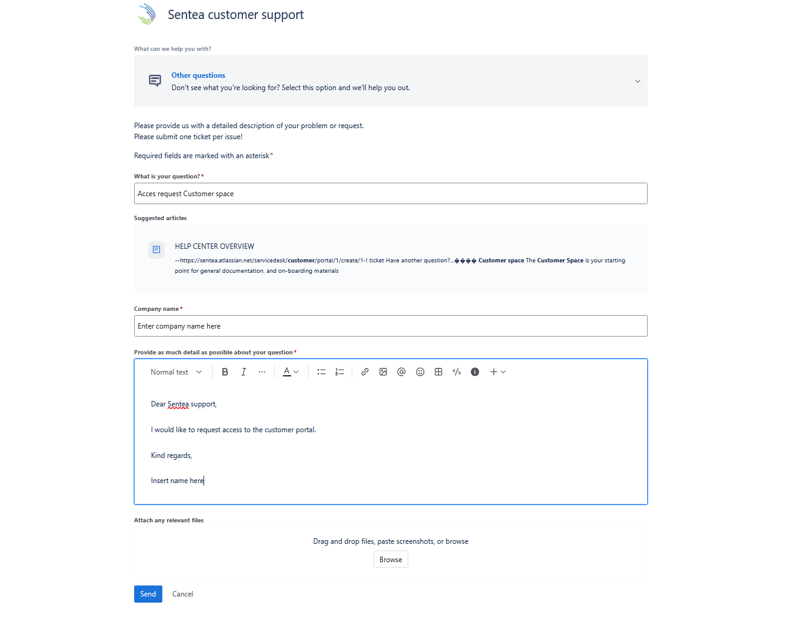
If you are a Sentea customer, request access to the customer area by submitting an Other Questions support ticket.
This verification step helps us make sure that customer-specific documentation and support areas are only shared with the right users.
Step 4
Once your access has been approved, you can browse available documentation, submit support requests, and manage existing tickets from the customer portal.
Use a shared team email address if multiple people in your organization need visibility on ticket updates and support notifications.
Contact our support team if you cannot activate your account, did not receive the activation email, or need help accessing the correct customer area.
Contact support team
Sentea’s quality management system is
ISO 9001 certified by DNV.